Who gets in, and what they can do once they are in. Roles answer the second question and invites answer the first.
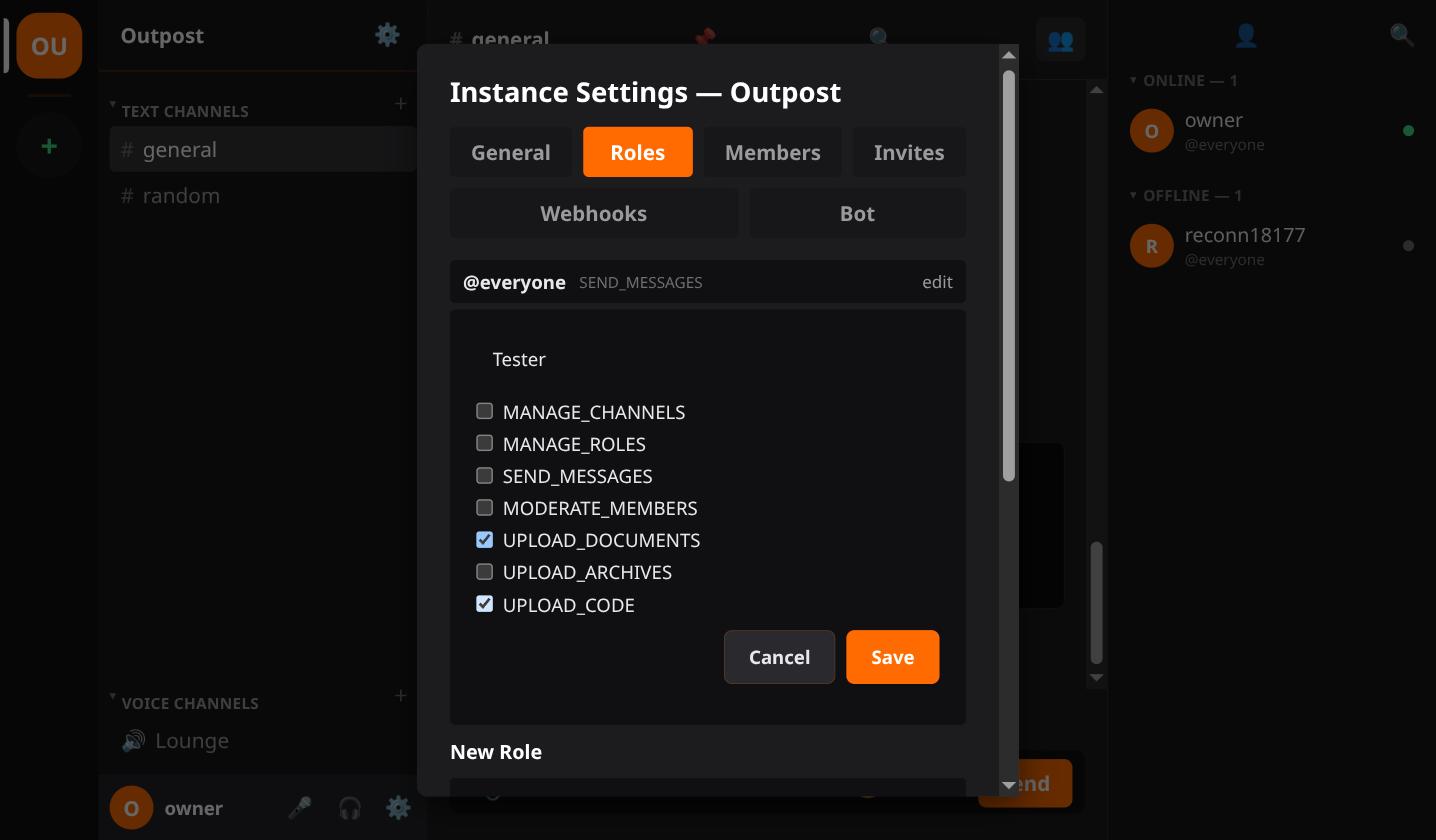
Every server starts with one role, @everyone. New members get it. It can send messages and
nothing else.
Make more roles as you need them. Name and permissions are both editable afterwards, so a role you got wrong is not a role you have to replace.
A member can hold several roles at once. Their permissions add up.
The owner has every permission always and cannot be locked out.
SEND_MESSAGES, post in channels.MANAGE_CHANNELS, create, rename, reorder and delete channels.MANAGE_ROLES, create roles and hand them out.MANAGE_SERVER, the instance name, icon, theme, default channel, AFK channel and outbound
mail.MODERATE_MEMBERS, everything under Moderation below.UPLOAD_VIDEOS, UPLOAD_DOCUMENTS, UPLOAD_ARCHIVES,
UPLOAD_CODE, one file category each.Images need no permission. Everyone can post those.
MANAGE_SERVER is deliberately its own thing. It reaches the whole instance and your mail
credentials, which is a bigger blast radius than one channel or one role.
A channel can be restricted to chosen roles. That holds everywhere, not just in the sidebar. The history, the live feed, search and the voice token all check it.
Make invites in instance settings, Invites.
First decide whether the server needs them at all. Open registration lets anyone with the address sign up. Invite-gated means a code is required. That switch is in instance settings.
Each invite takes a use limit and an expiry in minutes. Leave either blank for no limit. Single use for one person. Reusable for something you post publicly.
Revoke any of them at any time. An invite is a live credential, so treat a reusable one that got out the same way you would a password.
What you hand out is a full link, not a bare code. The recipient does not know your server address otherwise.
All of this needs MODERATE_MEMBERS.
Every one of those writes to an audit log you can read in instance settings. So does resolving a report. See Blocking & Reporting for the reports queue itself.
Resetting a member's password is owner-only, not MODERATE_MEMBERS. Handing someone else's
account to whoever asks is a different kind of power from muting them.
Webhooks post into a channel from anything that can send an HTTP request. A build finishing, an alert firing.
Bot accounts get a token and the same API a person's client uses.
Bot Accounts covers both.